
What is Target CPA Conversion Bid Strategy?
Target Cost-Per-Acquisition (CPA) is one of four modes that Outbrain offers for auto-optimizing towards conversions within Conversion Bid Strategy. Target CPA works to keep your campaigns profitable by adjusting CPCs to bring as many conversions as possible within your desired CPA goal, without having to manually adjust your budget.
Checkout this webinar recording to see Product Lead Benny Zingerevich share best practices for the recently optimized Target CPA mode OR continue reading below:
Who should use Target CPA mode?
Consider using Target CPA when you:
- are a performance based marketers looking to get the most value with lead generation or e-commerce
- are running campaigns with a strict CPA goal
- prioritize maximized CPA over all other performance metrics
If you’re still not sure which bidding mode is best fit for you, refer to this article.
How do I enable Target CPA mode?
- Select “App Installs” or “Conversions” as your Campaign Objective.
- In the Budget & Bidding section, select “Target CPA” from the Optimization mode selection menu:
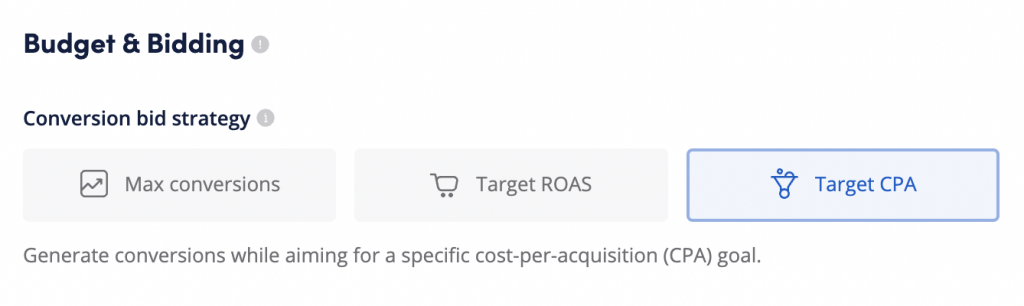
- Specify the conversion* that you wish to optimize towards, then define the CPA value and campaign budget. For CBS setup best practices, please refer to this article.
- Complete the remainder of the campaign setup as usual.
- After you’ve launched your campaign, it will enter a Learning phase which means the system will need some time to gather data for optimization. Please note this phase may last up to a week following launch.
*Keep in mind: implementing a conversion event with Target CPA mode is mandatory. If you’re looking for information about conversions and pixel implementation, click here.
How do I set my Target CPA campaign up for success?
Setup and Learning period:
- Input a high budget, allowing room to scale (eliminating the need for manual budget adjustments)
- Once live, wait at least 48 hours before making any adjustments
- We aim to achieve (and maintain) 7-10 conversions per day, so expect a daily spend of at least 7x your target CPA to start
Once you’ve turned on your campaign and confirmed progress towards your goals after the initial learning period, very little manual campaign management is needed.
If you’re looking to scale your campaigns:
- If you are happy with results and want to scale, increase the target CPA at the beginning of the day EST
If you’re looking to improve performance:
- Double-check your conversion set up to make sure it’s working properly*.
- Make sure you’ve set up a realistic CPA target. Setting unrealistic goals will cause the system to decrease your CPCs in order to not spend the budget if it’s not able to meet your goal. Refer to this article to learn more.
- If you are not able to achieve 7-10 conversions daily, switch to Max Conversions and select an upper funnel conversion as the target
*Successful conversion tracking is one of the most important pillars of every conversion optimized campaign. Please check the following campaign details to ensure that we can collect enough data to optimize towards your target CPA:
- Is the pixel implemented correctly? For pixel implementation guidance, please check out this article.
- Is the pixel firing correctly on all platforms?
- Is your funnel too long? Try adding more conversion pixels along the conversion journey to shorten the funnel.
Still not sure about how to best use Target CPA Conversion Bid Strategy? Check out our suggested best practices here.